CJShell and FinHub
Two no-code front ends: CJShell, a command line for one broker account, and FinHub, a web UI for the trading engine.
CJShell
CJShell connects to a broker and runs account commands such as balance or
buy. Use it to inspect an account or place manual orders.
Set it up once
CJShell reads its connection settings from a .cjconf file. Generate one for
ArenaX:
bash scripts/gen_config.sh arenax
This writes arenax_system.cjconf to the current directory with
API_KEY = testkey123 set and the other keys blank. The other keys are only
needed for the llm command or for Sinopac.
Run one command, or many
With ArenaX running (Connect to a broker), a command after the options runs once and exits:
uv run cjshell --broker=arenax balance
Expected output:
[INFO][...] config: loaded cfg file .../arenax_system.cjconf
[INFO][...] brokers.arenax: connected
Executing: balance
Account Balance: 97562.6
[INFO][...] brokers.arenax: disconnected
Without a command, CJShell opens an interactive prompt; help lists the
commands and exit quits:
uv run cjshell --broker=arenax
Common commands:
| Command | Does |
|---|---|
balance |
show cash |
lspos |
list positions with their profit or loss |
lsodr [n] |
list the last orders and their status |
buy <symbol> <price> <quantity> |
place a limit buy (odd lots, so quantity is in shares) |
sell <symbol> <price> <quantity> |
place a limit sell |
cancel |
cancel every open order |
ohlcv <symbol> |
latest quote |
bidask <symbol> |
best bid and ask |
help [command] |
every command, or one in detail |
lspos after buying one share of 2330:
Executing: lspos
  symbol  quantity  avg_cost  current_price  market_value  unrealized_pnl
0   2330         1    2417.4         2360.0        2360.0           -57.4
Total Cost: 2,417.400
Market Value: 2,360.000
Total Unrealized PnL: -57.400 (-2.37%)
On Sinopac, CJShell places real orders without asking
uv run cjshell --broker=sinopac reads sinopac_system.cjconf (generate
it with bash scripts/gen_config.sh sinopac and fill in your keys).
buy sends a real order immediately, with no confirmation. The generated
file sets SIMULATION = n, which is your real account; set
SIMULATION = y to use Sinopac's sandbox.
FinHub
FinHub is a web UI for the trading engine: pick bots, symbols and dates in a form, start a run, and follow each bot's decisions, orders and P&L live. Every run is stored for later comparison.
uv run finhub
Open http://127.0.0.1:8000, register a user (stored locally) and sign in. FinHub starts the ArenaX server and the engine itself; nothing else needs to be running.
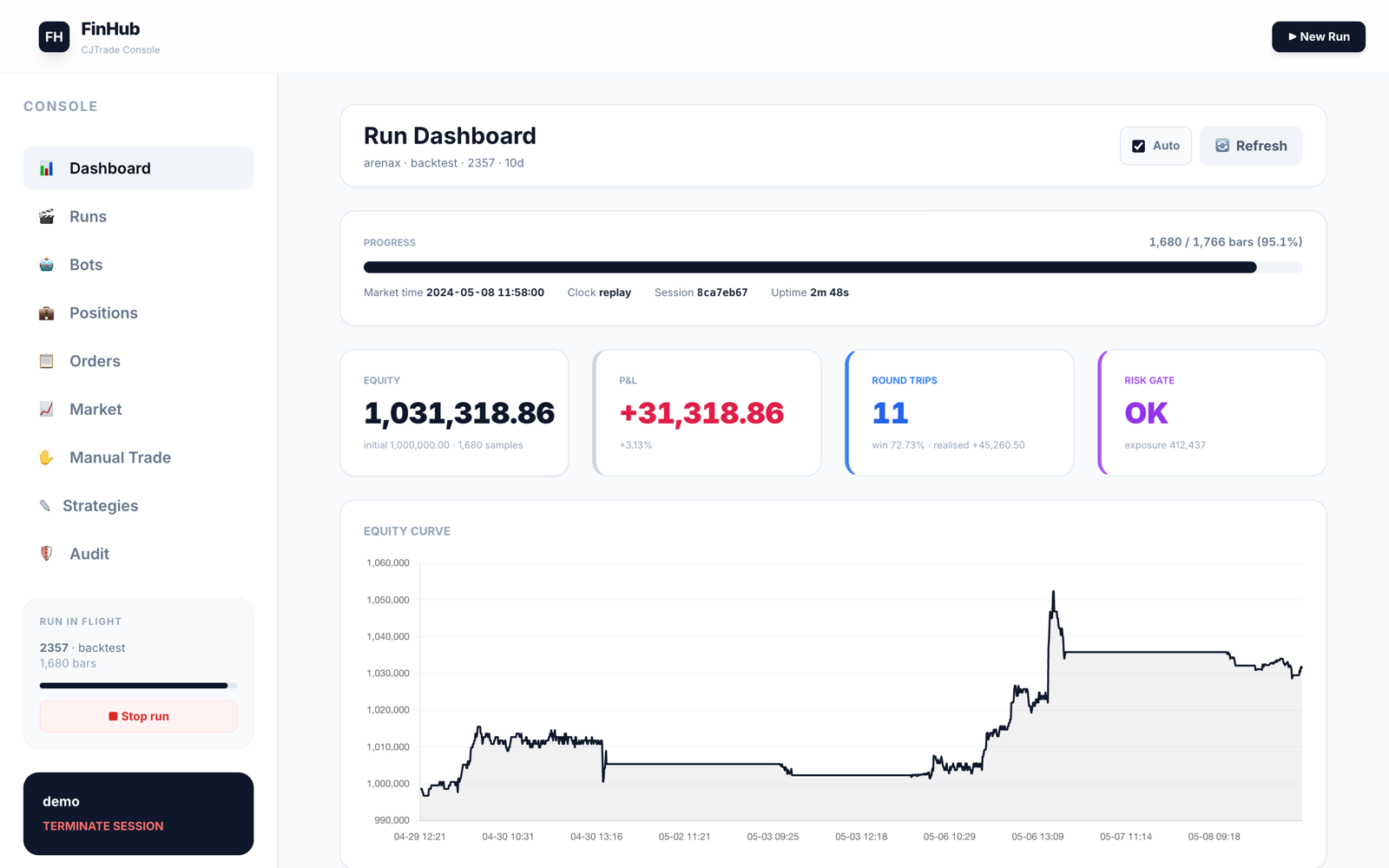
New Run takes symbols, dates and speed. The Dashboard tracks the run: replay progress, account equity and P&L, round trips, risk gate state, and the equity curve.
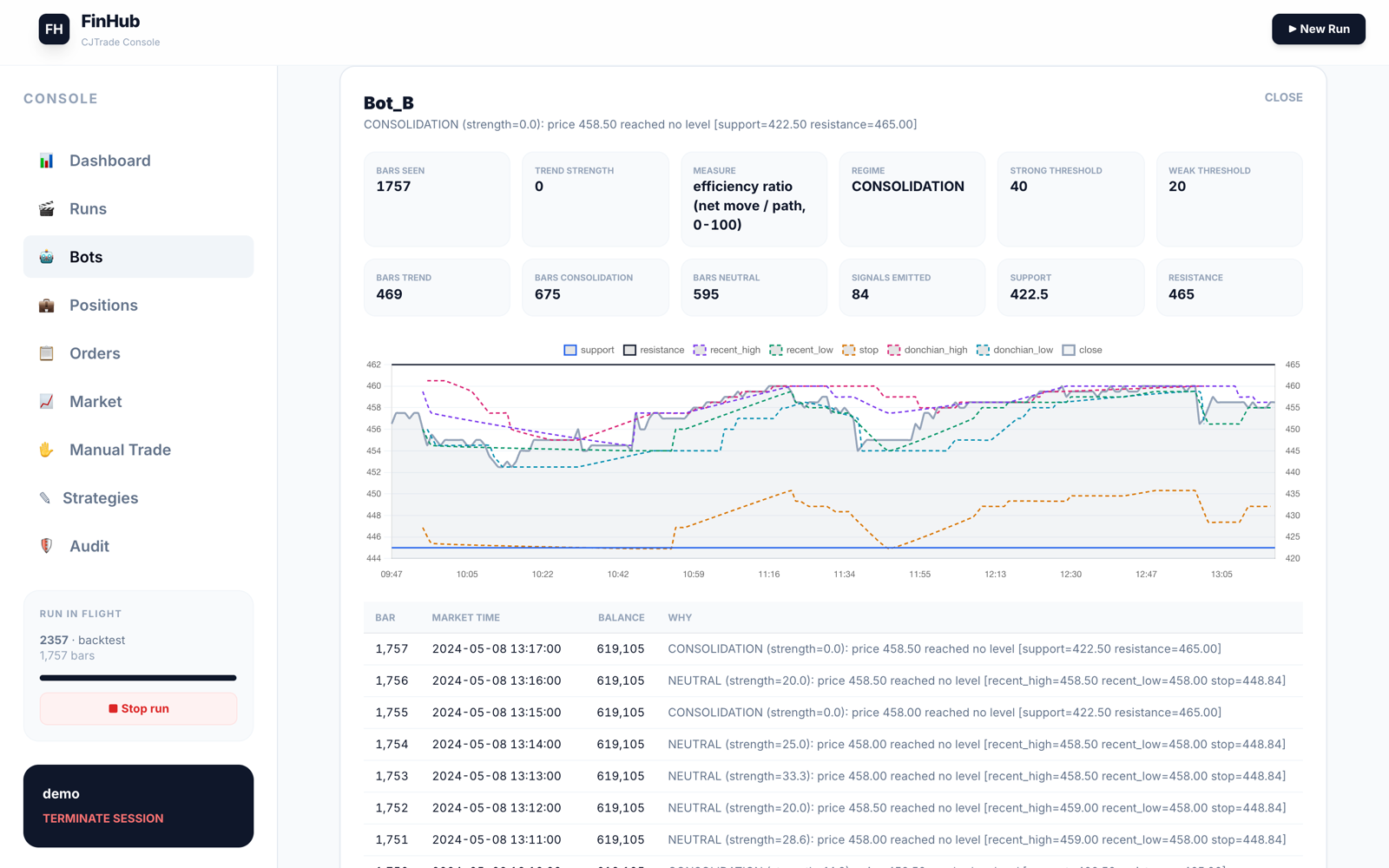
Bots lists each bot. A bot's page shows the reason for its decision on every bar, the values its strategy tracks, and the lines it plots over the price:
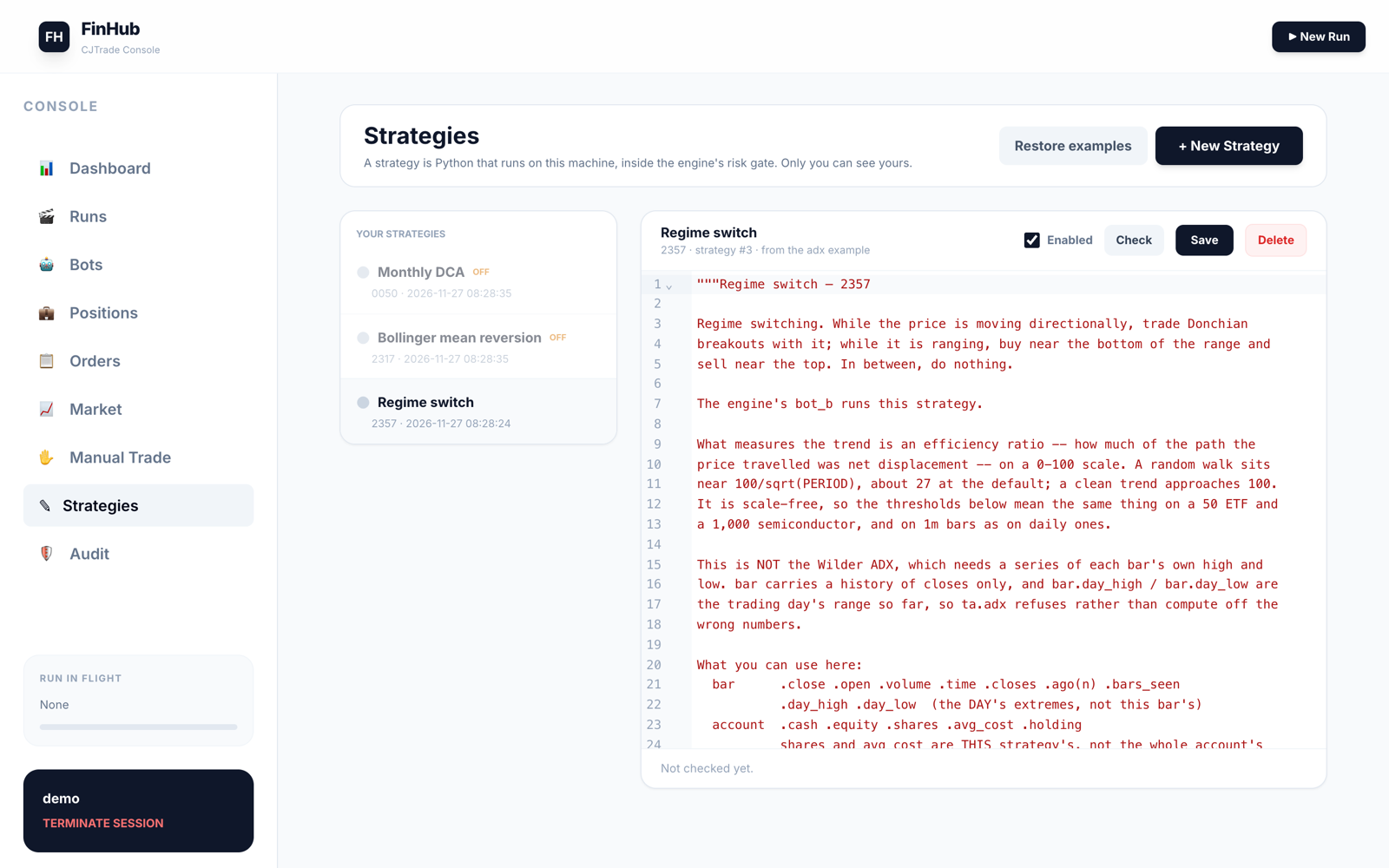
Strategies is the editor for your own strategy files. A new account
starts with the three example strategies. Check runs the same checks as
strategy-tool check; only strategies marked Enabled take part in a run:
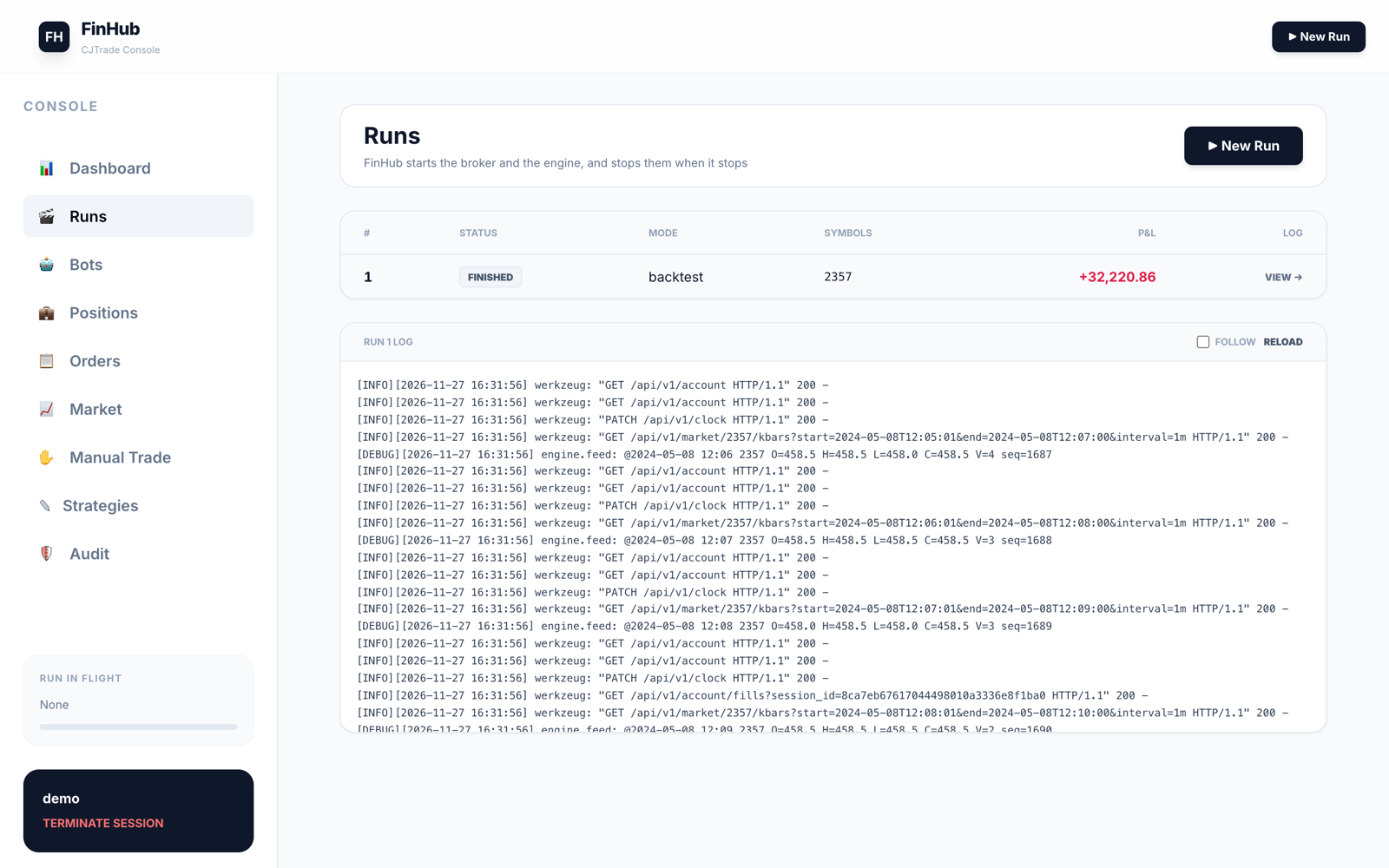
Runs keeps every run with its result and full log:
FinHub binds to 127.0.0.1 only. For remote access, forward the port over
SSH: ssh -L 8000:127.0.0.1:8000 <host>.
Warnings while no run is going
With no run in progress, FinHub logs broker unreachable and
engine status API ... All connection attempts failed every few seconds.
This is expected: there is no broker or engine to poll until a run
starts.
Settings are documented in the FinHub README.
Next: Troubleshooting, or the full list of Commands.